

Install
CC Switch is open source on GitHub:farion1231/cc-switch.
1
Open Releases
Open the
farion1231/cc-switch Releases page and check the latest version.2
Download the right package
Choose the package for your system:
- macOS:
.dmg - Windows:
.msi - Linux:
.AppImageor.deb.
3
Install and open once
Complete the installation. Open CC Switch at least once so the browser can launch it during import.
One-click import
Prefer one-click import when it is available. It writes the Provider config into local CC Switch without manually copying every field.1
Confirm CC Switch is installed
Make sure CC Switch is installed and has been opened at least once.
2
Open API Keys
Open the dashboard and find the API Key you want to import on the API Keys page.
3
Click import to CCS
Click Import to CCS in that key row. If your system asks whether to open CC Switch, allow it.
4
Confirm import
Review the Provider information in CC Switch and confirm the import.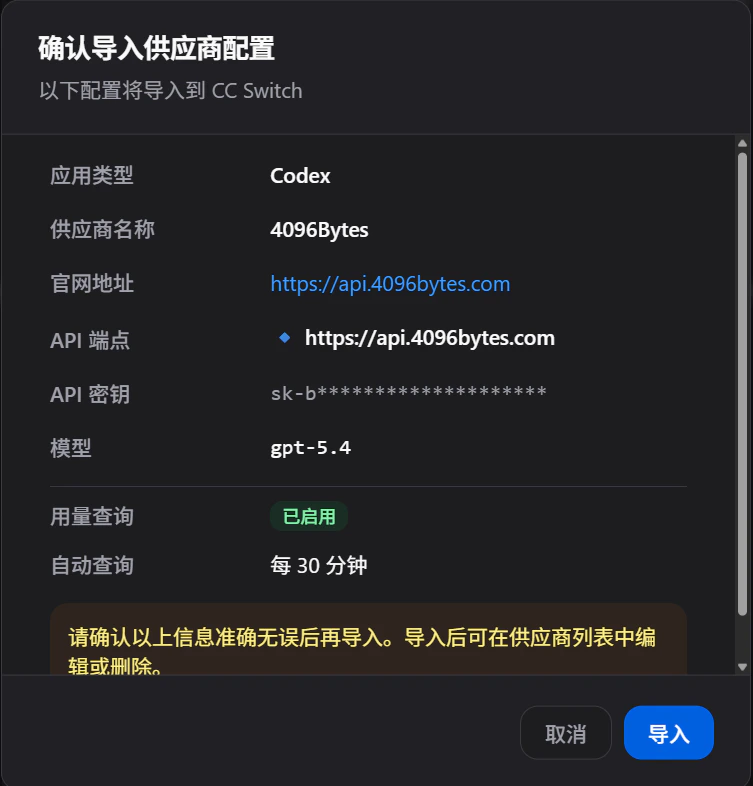
Add the Provider manually
If one-click import is unavailable, add the 4096bytes Provider manually in CC Switch.Verify
After import or manual setup, switch to the 4096bytes Provider in CC Switch and run a low-risk test.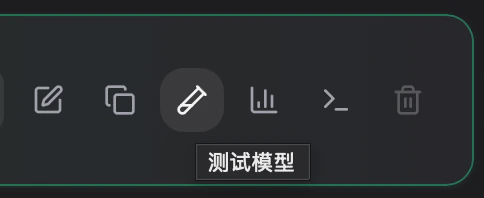
Troubleshooting
- If the browser does not open CC Switch, confirm CC Switch is installed and has been launched once.
- If authentication fails after import, create a new API Key and import it again.
- If a CLI client does not use the new Provider, confirm it is managed by CC Switch and restart the terminal after switching.